mirror of
https://github.com/azures04/crafatar.git
synced 2026-03-22 16:01:16 +01:00

91 lines
5.4 KiB
Markdown
91 lines
5.4 KiB
Markdown
# Crafatar [](https://travis-ci.org/crafatar/crafatar/) [](https://coveralls.io/r/crafatar/crafatar) [](https://codeclimate.com/github/crafatar/crafatar)
|
|
[](https://webchat.esper.net/?channels=crafatar) [](https://david-dm.org/crafatar/crafatar) [](https://david-dm.org/crafatar/crafatar#info=devDependencies) [](https://inch-ci.org/github/crafatar/crafatar)
|
|
|
|
|
|
<img alt="logo" src="lib/public/logo.png" align="right">
|
|
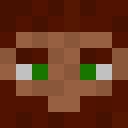
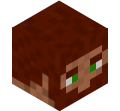
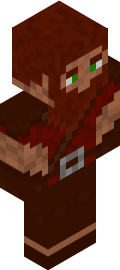
[Crafatar](https://crafatar.com) serves Minecraft avatars based on the skin for use in external applications.
|
|
Inspired by [Gravatar](https://gravatar.com) (hence the name) and [Minotar](https://minotar.net).
|
|
|
|
Image manipulation is done by [lwip](https://github.com/EyalAr/lwip). 3D renders are created with [node-canvas](https://github.com/Automattic/node-canvas), based on math by [confuser](https://github.com/confuser/serverless-mc-skin-viewer).
|
|
|
|
# Contributions welcome!
|
|
|
|
There are usually a few [open issues](https://github.com/crafatar/crafatar/issues).
|
|
We welcome any opinions or advice in discussions as well as pull requests.
|
|
Issues tagged with [](https://github.com/crafatar/crafatar/labels/help%20wanted) show where we could especially need your help!
|
|
|
|
# Examples
|
|
|
|
| | | | |
|
|
| :---: | :---: | :---: | :---: |
|
|
|  |  |  |  |  |
|
|
|  |  |  |  |  |
|
|
|  |  |  |  |  |
|
|
|  |  |  |  |  |
|
|
|
|
## Usage / Documentation
|
|
|
|
Please [visit the website](https://crafatar.com) for details.
|
|
|
|
## Contact
|
|
|
|
* You can [follow](https://twitter.com/crafatar) us on twitter
|
|
* Open an [issue](https://github.com/crafatar/crafatar/issues/) on GitHub
|
|
* You can [join IRC](https://webchat.esper.net/?channels=crafatar) in #crafatar on irc.esper.net.
|
|
|
|
# Installation
|
|
|
|
Have a look at [crafatar/setup](https://github.com/crafatar/setup) to see how we set things up at Crafatar.
|
|
|
|
## Installation on Heroku
|
|
[](https://heroku.com/deploy)
|
|
|
|
## Installation on Dokku
|
|
##### [dokku server]
|
|
Install the [dokku-redis](https://github.com/ohardy/dokku-redis#redis-plugin-for-dokku) plugin.
|
|
```shell
|
|
dokku redis:start
|
|
dokku apps:create crafatar
|
|
dokku config:set crafatar BIND=0.0.0.0 PORT=5000
|
|
```
|
|
For persistent images and logs:
|
|
```shell
|
|
dokku docker-options:add crafatar deploy "-v /var/lib/crafatar/images:/app/images"
|
|
dokku docker-options:add crafatar deploy "-v /var/log/crafatar:/app/logs"
|
|
```
|
|
If you want to listen on extra domains:
|
|
```shell
|
|
dokku domains crafatar:add example.com
|
|
```
|
|
##### [your machine]
|
|
Add dokku remote and deploy!
|
|
```shell
|
|
git remote add dokku dokku@example.com:crafatar
|
|
git push dokku master
|
|
```
|
|
|
|
## Installation on your machine
|
|
* Use io.js
|
|
* [Install](https://github.com/Automattic/node-canvas/wiki) Cairo.
|
|
* `npm install`
|
|
* Start `redis-server`
|
|
* `npm start`
|
|
* Access [http://localhost:3000](http://localhost:3000)
|
|
|
|
|
|
## Tests
|
|
```shell
|
|
npm test
|
|
```
|
|
|
|
If you want to debug failing tests:
|
|
```shell
|
|
# show logs during tests
|
|
env VERBOSE_TEST=true npm test
|
|
```
|
|
|
|
It can be helpful to monitor redis commands to debug caching errors:
|
|
```shell
|
|
redis-cli monitor
|
|
```
|