mirror of
https://github.com/azures04/crafatar.git
synced 2026-09-25 01:31:04 +02:00
 jomo
fd647c5953
jomo
fd647c5953
@Jake0oo0 fyi

We haven't changed anything on our 3D renders since we first introduced them.
They still have rendering glitches, they still don't render the jacket layer,
they still don't support alex-type skins.

Telling people this is no longer beta (@2515575) doesn't seem like a good idea.
Crafatar 


 [Crafatar](https://crafatar.com) serves Minecraft avatars based on the skin for use in external applications.
Inspired by [Gravatar](https://gravatar.com) (hence the name) and [Minotar](https://minotar.net).
[Crafatar](https://crafatar.com) serves Minecraft avatars based on the skin for use in external applications.
Inspired by [Gravatar](https://gravatar.com) (hence the name) and [Minotar](https://minotar.net).
Image manipulation is done by lwip. 3D renders are created with node-canvas, based on math by confuser.
Contributions welcome!
There are usually a few open issues.
We welcome any opinions or advice in discussions as well as pull requests.
Issues tagged with  show where we could especially need your help!
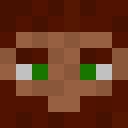
Examples
 |
 |
 |
 |
Usage / Documentation
Please visit the website for details.
Contact
- You can follow us on twitter
- Open an issue on GitHub
- You can join IRC in #crafatar on irc.esper.net.
Installation on Heroku

Installation on Dokku
[dokku server]
Install the dokku-redis plugin.
dokku redis:start
dokku apps:create crafatar
dokku config:set crafatar BIND=0.0.0.0 PORT=5000
For persistent images and logs:
dokku docker-options:add crafatar deploy "-v /var/lib/crafatar/images:/app/images"
dokku docker-options:add crafatar deploy "-v /var/log/crafatar:/app/logs"
If you want to listen on extra domains:
dokku domains crafatar:add example.com
[your machine]
Add dokku remote and deploy!
git remote add dokku dokku@example.com:crafatar
git push dokku master
Installation on your machine
- Use io.js
- Install Cairo.
npm install- Start
redis-server npm start- Access http://localhost:3000
Tests
npm test
If you want to debug failing tests:
# show logs during tests
env VERBOSE_TEST=true npm test
It can be helpful to monitor redis commands to debug caching errors:
redis-cli monitor